
Copilot is in, the data rules are not: what inforcer's 2026 MSP report means for AI rollouts
New research from inforcer says 82% of the MSPs it surveyed already sell or pilot Microsoft 365 Copilot, while 56% of Copilot tenants on its platform had no DLP policy or sensitivity labels. Here is why that gap matters, what to settle before the next license goes live, and how to keep a record for each client.
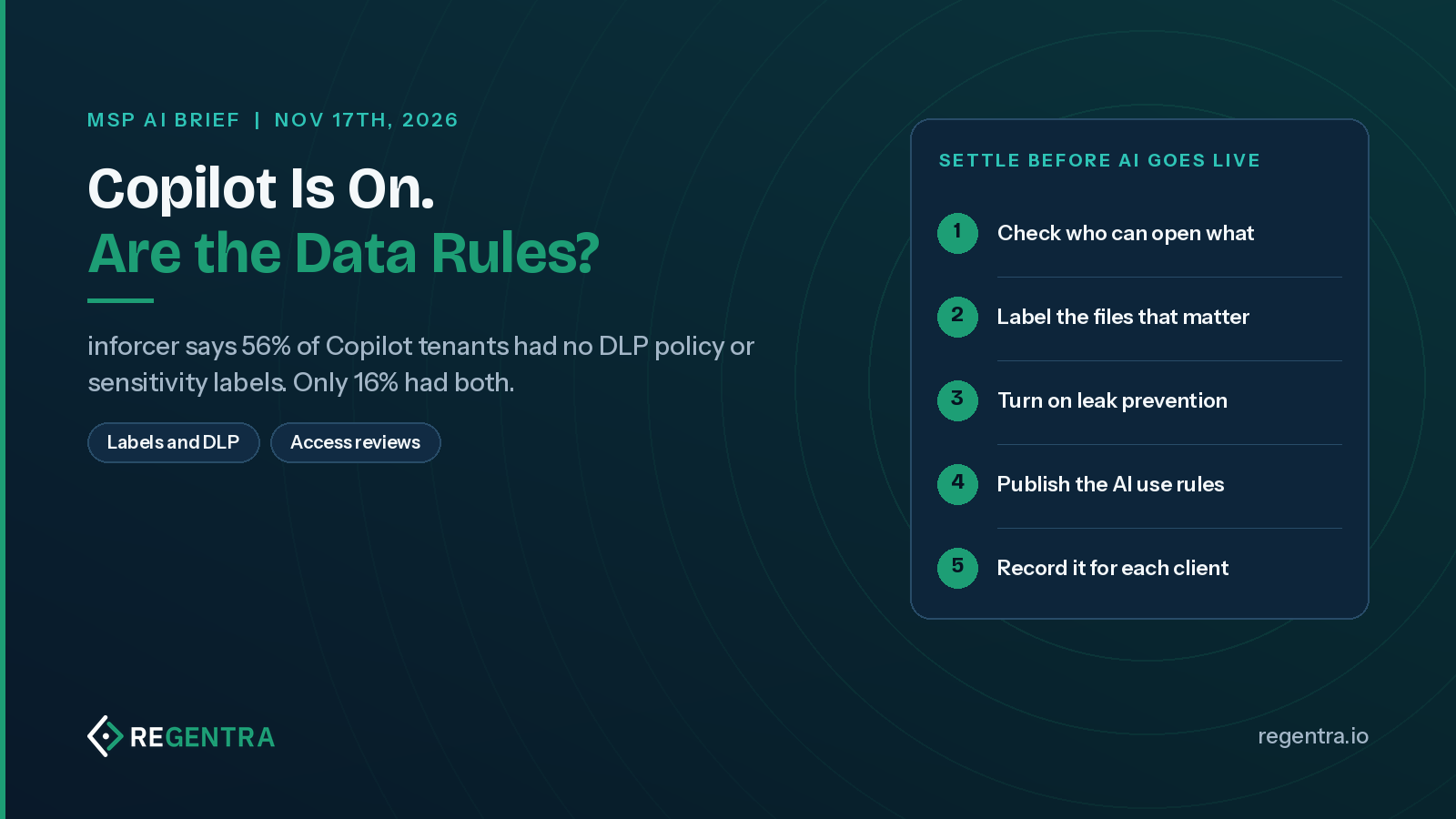
New research from inforcer says the AI rollout is running ahead of the data rules. In its MSP Microsoft Readiness Report 2026, announced on November 16th, 2026, inforcer says 82% of the MSPs it surveyed already sell Microsoft 365 Copilot at scale or pilot it with customers. Yet inforcer found that 56% of Copilot tenants on its platform had no DLP policy or sensitivity labels, and only 16% had both.
That gap lands on MSPs. Your clients bought the license, and you will be the one asked what was checked before it went live. This post covers what the report found, why it matters for Copilot in particular, what to settle before the next license, and the record to keep for each client.
Watch the 60-second version: Watch our narrated YouTube Short on getting client data rules ready before Copilot goes live.
What did inforcer's 2026 MSP readiness report find?
inforcer says the demand for AI is real and the groundwork is thin. The headline figures, all from inforcer's announcement:
- Copilot is already being sold. inforcer says 82% of surveyed MSPs sell Microsoft 365 Copilot at scale or pilot it with customers.
- The data layer is not ready. Based on aggregated data from its own platform, inforcer found that 56% of Copilot tenants had no DLP policy or sensitivity labels. Only 16% had both.
- Data protection is the missing service. inforcer says most surveyed MSPs help secure identities (81%) and devices (80%), but only 46% offer data protection services.
- Visibility is low. inforcer says 86% of MSPs lack full visibility into their customers' AI usage.
- Baselines exist on paper. inforcer says 51% of MSPs do not have a consistently enforced baseline across customer tenants.
CRN's coverage of the same report quotes inforcer co-founder Will Connor: "They've got the AI in first before they've really got their hands around the data."
Why does missing labels and DLP matter more once Copilot is on?
Because Copilot works inside the permissions you already have. Microsoft says Copilot only surfaces organizational data that a user has at least view permission to, and it tells customers to use the permission models in Microsoft 365, such as SharePoint, to make sure the right people have access to the right content.
So Copilot does not break permissions. It makes old oversharing easy to find. A payroll sheet or a client contract that was shared with everyone years ago used to sit in a folder nobody opened. Now a user can ask a question and get it back in a summary.
Labels and DLP are the second line. Microsoft says that when content is encrypted by Microsoft Purview Information Protection, for example through a sensitivity label, Copilot honors the usage rights granted to the user. Without labels, there is nothing for those protections to act on.
What should MSPs settle before the next Copilot license?
This is not a one-day patch. It is a short piece of readiness work per client, and it is easier to sell and to prove if you run it the same way every time.
- Review who can open what. Start with SharePoint sites, Teams and shared folders that are open to everyone in the organization. Remove broad sharing where nobody can say why it exists.
- Label the files that matter. Agree a small set of sensitivity labels with the client and apply them first to the obvious places: payroll, HR, health records, legal and client data.
- Turn on leak prevention. Put DLP policies in place for the labels you set, so sensitive content cannot be shared outside the rules.
- Publish the AI use rules. Write a short AI acceptable use policy, covering which AI tools are approved and what data must never go into them, and get every user to acknowledge it.
- Write it down. For each client, record what you reviewed, what you changed, which gaps are still open, and who at the client approved turning AI on.
If a client wants Copilot before this is done, that is their call, but the open gap should be written down as a risk with an owner and a review date, not left in an email thread.
What record will clients and auditors ask MSPs to show?
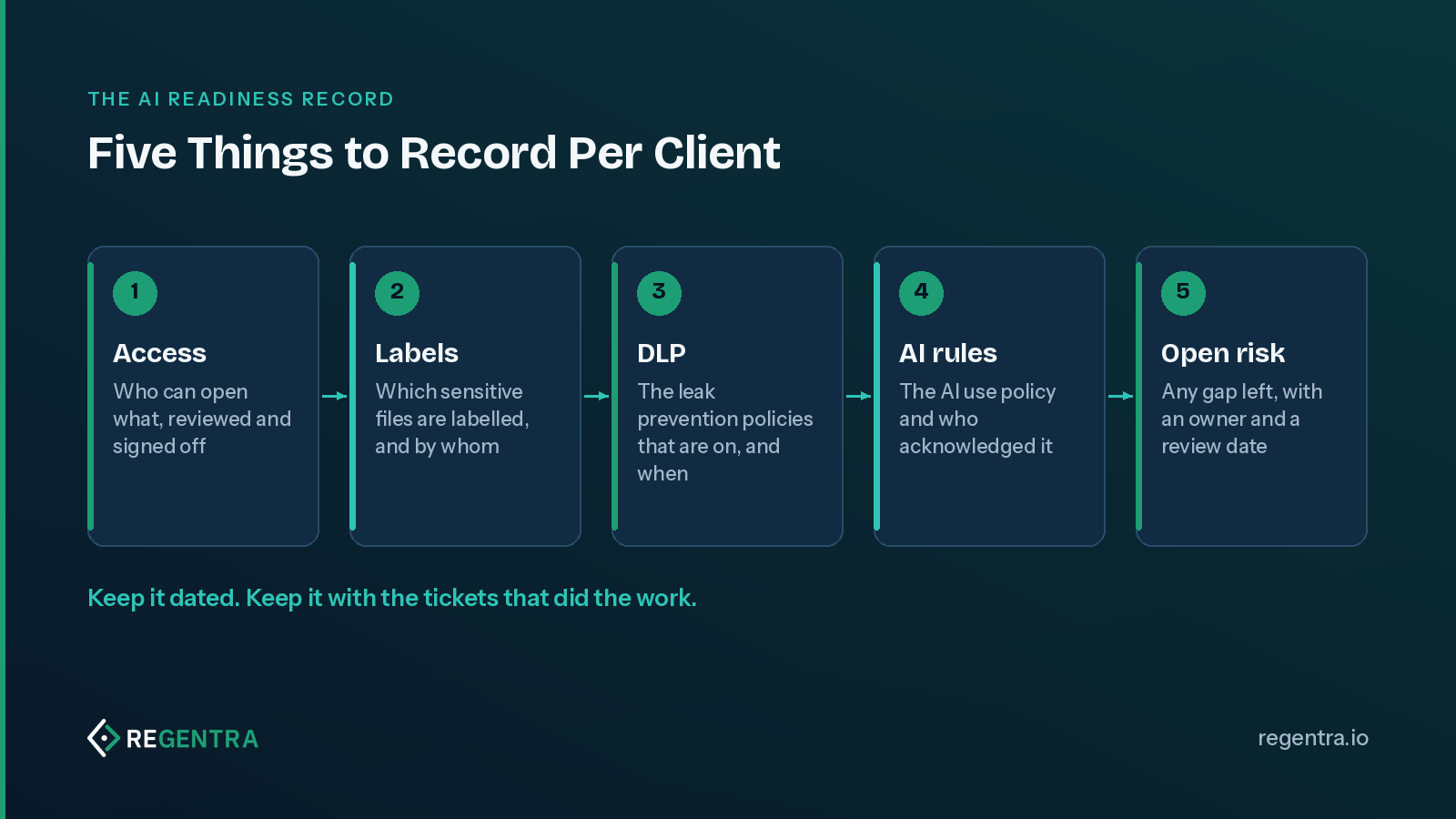
When a client's auditor or insurer asks how AI was rolled out, the useful answer is a short, dated record, per client:
- Access. Who can open what, when it was last reviewed, and who signed off.
- Labels. Which labels exist and where they were applied.
- DLP. Which leak prevention policies are on, and since when.
- AI rules. The AI use policy version and who acknowledged it.
- Open risk. Any gap left, with an owner and a review date.
Our guide on managing 50 clients without losing compliance visibility covers how to keep that record for every client, and our CIS Microsoft 365 Foundations Benchmark guide for MSPs covers the tenant baseline side.
Which controls this touches
An AI rollout falls under the data classification, access control and baseline controls your clients' frameworks already require. The value is in logging the readiness work in Regentra against each client, and having an easy-to-find record of the policy, the access review, the open risk and the evidence when an auditor or a client asks.
- Data classification and leak prevention. SOC 2 C1.1 (identify and maintain confidential information). ISO/IEC 27001:2022 A.5.12, A.5.13, and A.8.12 (classification and labelling of information; data leakage prevention). NIST CSF 2.0 ID.AM-07 and PR.DS-01 (inventories of data and metadata; data at rest protected). CMMC Level 2 AC.L2-3.1.3 and MP.L2-3.8.4 (control the flow of CUI; mark media with CUI markings).
- Access to data (what an AI assistant can reach). SOC 2 CC6.1 (logical access security over protected information assets). ISO/IEC 27001:2022 A.5.15 (access control). NIST CSF 2.0 PR.AA-05 (access permissions defined, managed, enforced and reviewed with least privilege). HIPAA Security Rule 45 CFR 164.308(a)(4)(i) and 45 CFR 164.312(a)(1) (information access management; access control). CMMC Level 2 AC.L2-3.1.5 (least privilege).
- Tenant baselines and risk. SOC 2 CC7.1 (detect configuration changes that introduce vulnerabilities). ISO/IEC 27001:2022 A.8.9 (configuration management). NIST CSF 2.0 PR.PS-01 (configuration management practices established and applied). HIPAA Security Rule 45 CFR 164.308(a)(1)(ii)(B) (risk management). CMMC Level 2 CM.L2-3.4.1 and CM.L2-3.4.2 (system baselining; security configuration enforcement).
HIPAA references are to the Security Rule as currently in force (eCFR, section last amended January 25th, 2013), not the proposed update. The ISO/IEC 27001:2022 items are Annex A control titles. Which controls apply depends on each client's scope.
How can MSPs keep the AI readiness work in one record?
Regentra puts PSA and compliance in one platform, so the review does not have to live in one tool and its proof in another. The incident and the fix live in Regentra, and the follow-up and proof sit on the control. Here is how that looks for a check like this one:
- Run each Copilot rollout as one master ticket. Open one master ticket for the AI readiness work and link a child ticket for each client tenant. When you resolve the master, Regentra prompts you to apply the same status to every linked child, and each ticket's History card records who changed what. (docs: tickets)
- Get the client's sign-off on licenses. Put new AI license requests in your request catalog with an approval policy, so a named approver at the client signs off before the work starts. The ticket waits in Waiting Approval until they decide. (docs: request catalog)
- Publish the AI use rules and collect sign-offs. Start an Acceptable Use or Data Classification policy from a template, move it through review to Active, attach it to the controls it supports, and send it out in an acknowledgment campaign. Completed sign-offs are stored as compliance evidence. (docs: policies, docs: acknowledgment campaigns)
- Review who can reach what. Run an ad-hoc access review so admins confirm, user by user, that access is still needed. With Microsoft Entra ID connected, the same page shows MFA coverage, conditional access and device compliance as live signals. (docs: access reviews)
- Record the gap as a risk until labels and DLP are in place. Add the missing labels or DLP to the Risk Register with inherent and residual scores, link the controls that reduce it, assign an owner and a due date, and set a next-review date. Each client is its own tenant, so each one keeps its own register. (docs: risk register, docs: clients)
Bolted On vs. Built In
With separate tools, the tickets live in a PSA, the controls live in a compliance tool or a spreadsheet, and the proof is scattered across both. Regentra puts PSA and compliance in one platform: the incident and the fix live in Regentra, and the follow-up and proof sit on the control.
- Incidents. Bolted on: notes in a ticket, and the proof filed somewhere else. Built in: an incident record where every status change needs a reason, the timeline is append-only, and closing it logs compliance evidence tagged as an incident-response artifact (docs).
- Tickets. Bolted on: fixes tracked in the PSA with no link to a framework. Built in: gap analysis creates one remediation ticket per control, with the control code pre-filled, and failing monitoring findings flow into the PSA as tickets (docs, docs).
- Configuration changes. Bolted on: a change note in one place and the config proof in a folder. Built in: the ticket for the change is linked to the affected asset, can request the customer's approval for the change window, and the configuration export is attached to the control as evidence (docs, docs, docs).
- Controls and proof. Bolted on: a spreadsheet that maps controls by hand, with evidence copied per framework. Built in: evidence attached to the control counts toward every framework that control maps to (docs).
- Finding the record. Bolted on: searching several tools when the auditor or client asks. Built in: switch to the client and every compliance and PSA view shows that client's data, the Evidence Map shows where evidence has been collected, and the incident report is one PDF (docs, docs, docs).
If you run security services for many clients, the MSP overview and the MSSP overview show how this works across tenants. The Compliance Engine is where framework controls and evidence live, the risk and gap assessment page covers recording residual risk, and the PSA overview covers the service desk side.
Ready to try it? 14-day free trial, no credit card required.
Or request a demo.
Frequently asked questions
Does Copilot let users see files they are not allowed to open?
No. Microsoft says Copilot only surfaces organizational data that a user has at least view permission to. The risk is that many files are shared more widely than anyone intended, and Copilot makes them much easier to find.
What did inforcer find about DLP and sensitivity labels?
inforcer says that, in aggregated data from its platform, 56% of Copilot tenants had no DLP policy or sensitivity labels, and only 16% had both.
Should we stop clients from turning on Copilot?
Not necessarily. Explain the risk, recommend the readiness steps, and let the client decide. If they go ahead with gaps open, record those gaps as risks with an owner and a review date, and keep the client's approval on file.
Which frameworks does an AI rollout touch?
Mostly the data classification, access control and configuration baseline controls clients already have, for example SOC 2 CC6.1 and C1.1, ISO 27001 A.5.12 and A.8.12, and CMMC AC.L2-3.1.3. Which ones apply depends on each client's scope.
What should we tell our clients?
Give them a short, dated summary of what you reviewed, which labels and DLP policies are on, the AI use policy they acknowledged, and any gap that is still open. Keep it so you can show it again at audit time.
Sources
- inforcer, MSP Microsoft Readiness Report 2026, as announced in New report: Businesses are pushing ahead with AI adoption despite major data governance gap (VMblog, November 16th, 2026)
- CRN, MSPs On Customers Rushing To Deploy AI (coverage of the inforcer report)
- Microsoft Learn, Data, Privacy, and Security for Microsoft 365 Copilot